
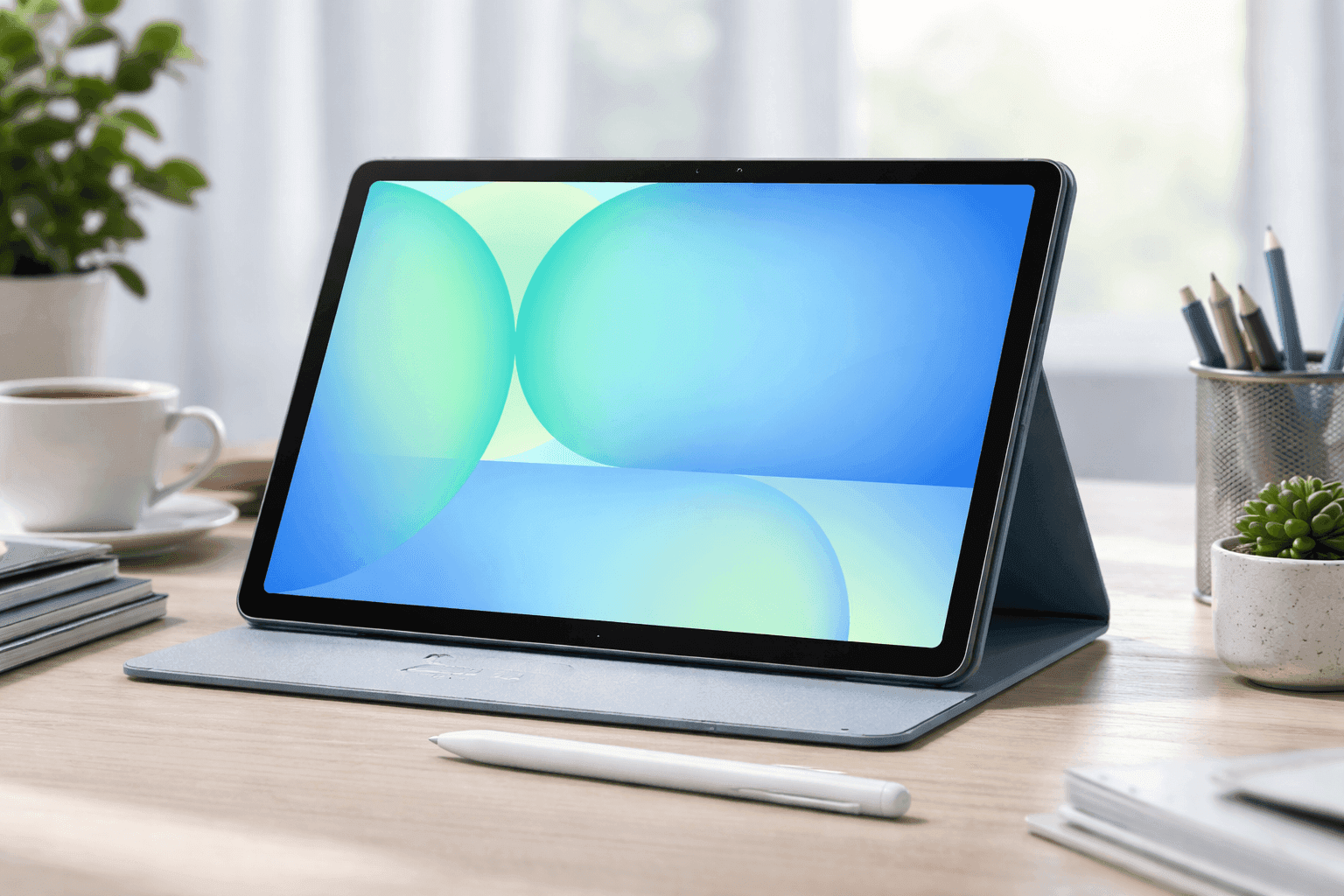
A tablet should feel like a tool you actually enjoy using, not something that slows you down after a few apps. The Samsung Galaxy Tab S10 FE lands right in that sweet spot where performance, price, and everyday usability meet. It’s built for people who want more than a basic screen but don’t want to overspend on flagship specs.
After spending time testing this device for note-taking, streaming, and light gaming, one thing stands out—it’s consistent. No weird slowdowns, no frustrating gaps in features. You get a well-rounded experience that covers work, school, and downtime.
If you're comparing mid-range tablets or upgrading from an older model, this guide breaks everything down clearly and practically.
Samsung Galaxy Tab S10 FE Overview and Key Features
The Samsung Galaxy Tab S10 FE sits in Samsung’s Fan Edition lineup, which focuses on delivering useful premium features at a lower price. It bridges the gap between entry-level tablets and high-end models like the Tab S series.
Here’s what you’re getting at a glance:
- 10.9-inch display with 90Hz refresh rate
- Exynos 1580 processor
- S Pen included in the box
- Up to 256GB storage (expandable)
- IP68 water and dust resistance
- Samsung DeX support
From hands-on use, the tablet feels fast enough for daily tasks like switching between apps, streaming, and editing documents. It doesn’t try to compete with ultra-premium devices—it focuses on doing the essentials well.
Display Quality: Smooth and Comfortable for Daily Use
The display is one of the first things you notice. The 10.9-inch LCD panel delivers a resolution of 2304 × 1440, which looks sharp for reading, browsing, and watching videos.
The 90Hz refresh rate makes scrolling feel smoother compared to standard 60Hz tablets. You notice it most when:
- Browsing websites
- Scrolling social media
- Switching between apps
Brightness sits around 400–500 nits. Indoors, it performs well. Outdoors in direct sunlight, visibility drops slightly, which is expected for an LCD panel.
From testing, the colors look natural, though not as deep as AMOLED screens. If you mostly watch YouTube, Netflix, or read documents, this display does the job comfortably.
Performance and Real-World Usage
Powered by the Exynos 1580 chipset, the tablet performs similarly to Snapdragon 7-series processors. That means solid mid-range performance.
In real use:
- Apps open quickly
- Multitasking feels stable
- Light games run smoothly
- Heavy games need lower settings
For example, running YouTube, Chrome with multiple tabs, and a note-taking app at the same time works without lag—especially on the 8GB RAM version.
If you plan to use Samsung DeX or split-screen multitasking often, going with 8GB RAM is a better choice.
That said, this isn’t a gaming-focused tablet. Titles like Genshin Impact will run, but not at high settings.
S Pen Experience: A Major Advantage
One of the strongest selling points is the included S Pen. Many competitors charge extra for a stylus, so this adds real value.
From hands-on testing:
- Writing feels responsive with low latency
- Palm rejection works reliably
- Pressure sensitivity supports drawing apps
It works especially well for:
- Students taking notes
- Digital planners
- Quick sketches
- Marking up PDFs
Samsung Notes integrates smoothly, and features like Air Command make navigation easier.
If you’ve used an S Pen before, the experience feels familiar. If not, it’s easy to pick up within minutes.
Storage, RAM, and Expandability
The tablet comes in two main configurations:
- 6GB RAM + 128GB storage
- 8GB RAM + 256GB storage
Both versions support microSD cards up to 1TB, which is useful if you store videos, files, or apps locally.
From experience:
- 6GB is fine for casual use
- 8GB is better for multitasking and DeX
Storage speed feels quick thanks to UFS technology. Apps load fast, and file transfers don’t feel sluggish.
If you plan long-term use, the 256GB option gives more breathing room.
Battery Life and Charging
Battery performance is reliable. The 8000–8500 mAh battery delivers:
- Around 10–12 hours of video playback
- A full day of mixed use
In testing, streaming videos for several hours still left enough battery for browsing and note-taking later in the day.
Charging is rated at 25W. A full charge takes about 1.5 to 2 hours.
This isn’t the fastest charging available, but it’s consistent and safe for long-term battery health.
Camera and Audio Experience
Cameras on tablets usually aren’t the main focus, and that applies here.
Specs include:
- 13MP rear camera
- 12MP ultra-wide front camera
The front camera stands out more, especially for:
- Video calls
- Online meetings
- Remote classes
The ultra-wide lens keeps you centered even when moving slightly.
Audio is surprisingly good. Dual AKG-tuned speakers with Dolby Atmos create a fuller sound than expected.
Watching movies or listening to music feels immersive without needing headphones.
Design, Build Quality, and Durability
The design feels premium thanks to the aluminum body. It’s slim at around 6.5–6.7 mm and weighs just over 520 grams.
What stands out most is the IP68 rating. That means protection against:
- Dust
- Water splashes
- Accidental spills
This feature is rare in mid-range tablets and adds peace of mind.
Holding it for long sessions feels comfortable, whether you're reading, watching content, or working.
Connectivity and Software Features
The tablet supports:
- Wi-Fi 6
- Bluetooth 5.3
- USB-C
There’s also an optional 5G version for mobile connectivity.
On the software side, Samsung’s One UI adds useful features like:
- Multi-window multitasking
- Samsung DeX desktop mode
- S Pen shortcuts
Using DeX with a keyboard turns the tablet into a laptop-like setup. It’s not a full replacement for a computer, but it works well for light productivity.
Pricing and Value for Money (Amazon US)
Here’s a realistic breakdown based on current Amazon US pricing trends:
- 128GB model: $449–$499
- 256GB model: $549–$599
- 5G version: up to $699
- Sale prices: sometimes drop to $399
From a value perspective, the included S Pen and IP68 rating make a noticeable difference compared to similarly priced tablets.
Compared to competitors:
- Better stylus support
- Stronger build quality
- More productivity features
Pros and Cons You Should Know
What Works Well
- S Pen included at no extra cost
- Smooth 90Hz display
- Reliable battery life
- Premium aluminum design
- Water and dust resistance
Where It Falls Short
- LCD instead of AMOLED
- Not ideal for heavy gaming
- Charging speed could be faster
- Cameras are basic
From a balanced viewpoint, these trade-offs make sense for the price range.
Who Should Buy the Samsung Galaxy Tab S10 FE?
This tablet works best if you need:
- A study or work companion
- A media consumption device
- A note-taking tool with stylus support
It’s especially useful for students and professionals who want flexibility without spending flagship-level money.
If you need top-tier gaming or OLED visuals, a higher-end model might suit you better.
First-Hand Use Case: Daily Workflow Example
Using the tablet during a typical day highlights its strengths.
Morning:
- Check emails in split-screen
- Take notes with S Pen
Afternoon:
- Watch videos
- Browse multiple tabs
Evening:
- Light gaming
- Streaming shows
The tablet handles this flow without hiccups. The battery comfortably lasts the entire day.
That kind of consistency is what makes it dependable.
Final Thoughts
The Samsung Galaxy Tab S10 FE delivers a balanced experience that focuses on usability and long-term value. It’s not trying to dominate every category—it focuses on doing the important things well.
You get a smooth display, solid performance, and a useful S Pen without paying premium prices. The IP68 rating and strong battery life add practical benefits that many users appreciate over time.
If you're exploring mid-range tablets, this one deserves a close look. You can check current deals and compare options on Amazon, and while you're there, it’s worth browsing similar tablets to find what fits your needs best.